All posts by shawnmontano

Practice your craft of video editing within every story

This Route is Known for the Dogs is a story produced in every newsroom.

There is nothing special about this story.  It’s merely an opportunity to practice the craft of video editing.  This story is perfect for refining video editing skills.  The story was supposed to be a vo/sot.  The photographer gave it to me.  I wrote and produced a script, then sold the story to a producer.  Luckily she was light on this day and allowed the vo/sot to become a package.

  • The Beginning

The story starts on a tight shot of a mail truck back door opening.  I know the rules.  Start wide, go medium, and then go tight.  I understand why I’m breaking the rules (there really aren’t any rules, just guidelines).  I don’t think I need a wide shot of a post office.  I’m pretty sure the viewer gets it.

  • Match Action

Meticulous with match-action I am. (Yoda laugh).  Watch the shot at [:12].

>

The next shot [:13] is a match-cut.  Do I need to be this meticulous? Nope.  I am practicing my craft.  The next time I need to have a clean, tight match-cut, I’ll have practiced it with splendid execution.

  • Natural Sound
“I am loading up…(natural sound of her picking up crate)…my mail…(natural sound of her putting the crate in a truck)…for today.”

Why do I do this? The main reason is that she stumbles over her words in the sentence. By using the natural sound, I simply create a sentence that’s tighter and takes less time.

  • The Middle

Two pieces of natural sound transition her onto the mail route.  I had lots of videos, including a sequence of Lynn getting into her truck and driving away. I couldn’t figure out an efficient way to use it without it just being an extra sequence. I didn’t really need it.  Just because I have the sequence doesn’t mean I’m going to force it.

“Delivering the mail seems like a routine job.” “It’s not the easiest job, huh?”

This is a beautiful little moment, and I write into it.  It’s the little things that make the story fun. You’ll notice from here to the end of the story, the natural sound is simple. It’s easy to have a series of natural sound pops of Lynn putting mail into mailboxes. I avoid doing that for a few reasons, mainly because that’s not how your eyes would see if you were following here.  If you’re just practicing your craft, pretend your eyes are a camera.  How would your eyes see the event if you were actually there?

  • An Old Trick

At [:28] I use a shot of Lynn closing and locking the mail truck door with natural sound, then she says,

“Safety is really a big thing, too, with the post office.”

I then use the natural sound of her locking the mail truck door.

One-shot, two pieces of natural sound and a SOT.  This is an old trick.  Using the beginning sound and the ending sound of a shot and squeezing a SOT in-between those natural sounds. It’s quick and usually very easy to accomplish.  Just practicing the craft.

At [:32], did you hear that dog bark?  Subtle, wasn’t it.  I’m foreshadowing.  You’re gonna hear as much dog barking as I can put in without it overpowering the story. If you were with her, that’s what you would hear, right?

At [:44] is an interview, on paper it reads,

“Just one afternoon doing a normal delivery as I was walking, I noticed that the screen door was not fully shut and the dog just instantly came out and bit me.”

Now, look at the video and natural sound I use to break up the bite and make the story flow better. Natural sound can also be compared to a period. That sentence has a lot of information. By breaking up the sentence with the natural sound, it’s like breaking up a sentence into multiple sentences.

Also, at the end of that SOT at [:56], I milk the dog barking twice!  Again that simple idea of squeezing as much natural sound as possible from one shot.

At [1:03] I have a spokeswoman’s SOT, I cover the last portion of her SOT because I’m butting two SOTS together.

At [1:18], I bring Lynn back on camera.

The viewer knows who she is because she’s the primary person in the story.  It never hurts to bring people back on camera, especially if they say something meaningful or emotional.

  • Bring people back on camera if they say something emotional or essential.
“Yeah, it is a carrier’s worst fear to get bit by a dog.”

I’d say that’s both vital information and something with emotion.

At [1:29], I bring her back on camera again for the same reason.

“A lot of customers always say my dog’s not gonna bite.  And every carrier has heard that thousands of times, the dog will bite.”
  • The Ending

The last shot is the walking off into the sunset shot.  I bring the story to a close with a simple shot of her walking away, still doing her job.  I’m covering with a closing piece of sound, and I throw in one more dog barking.  No need to show the dog here.  If she were walking along, she wouldn’t necessarily see a dog barking; she would just hear it.

Thanks for reading.  Don’t forget to like The Edit Foundry on Facebook for daily tips and discussion topics.

Time? Limited. Video? Limited. Discover The Line Between Perfection and Mediocrity

Ever edit a story with a limited amount of time and a limited amount of video?  I’m sure your answer is yes.

This is a story I edited on the Sunday before the Democratic National Convention in 2008.  It’s called Where Real Democracy Occurs.
I spent about an hour editing this story.  Anytime I have a story like this and little time, the first thing I’m going to do is cover it.  Covering usually takes about 15 minutes.  What do I mean by cover?  I mean no black holes.  All the edits may not be the cleanest, but it’s air-able.  Sometimes that’s the best thing you can do, in the time you have.

Is there anything awe-inspiring about this story?  Nope.  Anything awe-inspiring about the editing?  Nope.  So why write about it? We all have to edit crap, news, corporate videos, reality T.V., you’re going to get crap no matter where you edit.  When you get this below-average video, you need to be prepared.  You need to be prepared to find that point in your world between perfection and mediocrity.

  • You need to be prepared to find that point in your world between perfection and mediocrity.

You never want to spend too much time on an edit like this. I want to impress.  I want it to be the best.  Is putting more time into this project worth it?  That’s the question you have to ask yourself.  No one can answer that question for you.  It may take years for you to figure out your line.  I have finally discovered mine. Could I have done better?  Yes.  Would it have been worth my time?  No.

It’s these kinds of pieces that you just practice the craft.  Working on things like where to take an edit.  Work on pacing.  Work on your ability to add natural sound.

After I cover a story like this, I start looking for natural sound.  It’s what takes the viewer there.  The shot at [:16] isn’t stable when I take the edit.

I want to use that natural sound at that moment.  I didn’t have much wiggle room as far as taking the shot later as the photographer moved onto the next shot. I also didn’t want to cover any of it with feet from the previous shot.

The reporters write “hit the pavement,” so I use the feet shot to reinforce the track.

I’m under a deadline, so you don’t see any sequences in this story.  I love sequencing.  It’s the bread and butter of storytelling.  I don’t enjoy editing unless there is sequencing… perfection/mediocrity, find your line.

Since I don’t have any sequences, I will S.W.A.P. (Synchronize Words And Pictures). You’ll find me SWAP-ing in this story a lot.

At [:18], the reporter says, “A normally quiet morning in downtown Denver.”  I don’t really have those kinds of shots, but I do have some shots with a small number of people in it, so I use them.  Anything I can use to reinforce reporter track I’m going to use.

Did you see all the tight shots I used in this piece?  No?  What?  Watch it again!

A lot of medium to medium and wide to wide.  There are two reasons for this;  I didn’t get many tight shots, and I don’t believe in forcing tight shots.  If it works and the shot has meaning, great. If your editing a tight shot in just cause you to feel you have too many medium to medium, then stop and think about it for a minute.  The human eye takes in much more of the world as a medium shot; then it does as a tight shot.  Something to think about next time your shooting all those tight shots.  Don’t get me wrong, I LOVE tight shots.  I just don’t force them.

Back to the story. I’m using natural sound as much as I can, and I’m trying to keep the pace of the story up.

Whenever there is an interview, you’ll notice they are only up for about 4 seconds on camera, just long enough to super (lower 3rd) them.

The women’s bite at [:56]  was a little long,

so I trimmed her bite and covered it to flow better.

If you listen carefully, you can hear where I butted two bites together.  Stories like this should keep a good pace. Leaving someone up on camera for 10 seconds really slows a story down.  This isn’t going to win any awards, but it takes the viewer to the protest.  I try and use shots relevant to what’s going one and use as much natural sound possible.

The opening shot is the best thing I like about the story.

You’ll see people marching, the state capital, and a cop. That pretty much establishes everything your about to see. The closing shot is not that strong. I’m out of video and out of time, and at least it says the march is still going on. Again, back to the eye of the viewer, if you were sitting on the curb watching as all this, what might see before you get up and leave.

Sometimes little accomplishments like a good opening shot, proper use of natural sound, and a good pace are enough to feel you’ve done a story justice.  More importantly, you walk away feeling good about the story and knowing you didn’t waste any time.  Congratulations.  You found your line between perfection and mediocrity.

Don’t forget to like The Edit Foundry on Facebook.


Simple Video Effects in Final Cut Pro 7

Thunder was a story on my 2011 Editor of the Year entry.  This is an effects-driven story; you just don’t really see the effect.  That’s what you want when you use effects, you don’t want the viewer noticing them.  When you go to a movie, and the effects aren’t believable, the effects become a distraction, and the audience isn’t watching the story. The audience says to themselves, “That’s not real.” Effects affect viewers.  Think about that next time you want to go overboard with effects.

I’m a big fan of NFL films.  The stories they create are simply visual candy.  I wanted to create a film effect for the story on Thunder in the spirit of NFL films.  I  wanted to create my own look and feel, as well.  I have an effect on every clip in this story.  It’s not flying boxes.  It’s not crazy wipes.  It’s not picture in picture.  It’s something more subtle.  I’m creating an entire feel for the story.  What I’m doing is never distracting to the viewer.

Our story for this post is Thunder, which can be found on my Youtube page (http://www.youtube.com/shawnmontano)

The story starts off with shots you would see at the beginning of a Bronco game.

Fireworks going off.


Cheerleaders.

Fans Cheering.

The Broncos running onto the field.

You’ll see the first 14 shots in the story. I applied a motion effect.  All these shots are at 50% speed.  When your motion affects a shot, it tends to create a film effect all by itself.  I didn’t want to apply a motion effect to every clip, I needed to do something else to the video.

At [:22] Thunder and the video is moving at 100% speed. This shot is a screen-grab in the finished story.

This shot is of the original video.

I suggest you click and open each picture to see the difference between the two screen-grabs.  Toggle back and forth between these two shots.  Notice the differences?

I’ve done several things here.  The one most noticeable is I crushed the blacks, meaning I darkened areas more than they originally were.  See the blue on Thunder’s face mask and the blue on the rider?  They are a vibrant blue deep blue in the original video.  In my treated video, they are an intense blue almost to the point of being black.  Look at the NFL films logo, same thing there. The original video is that rich deep blue.  The affected video is still blue but closer to black than in the original video.

Now, look at the whites like on the banner in the background or the whites around Thunder’s exposed head.  Notice how much richer the quality of the whites is. Look at the smoke from behind Thunder in the upper left.  It has a slight blue tint to it in the original video.  My affected video it’s much whiter.

It took me a while to achieve the exact look I wanted for this story.  Just crushing blacks wasn’t enough for me.  I wanted to enrich the whites as well.  It was mostly trial and error.  If you’re going to create a look like this, I suggest you play around with how I’m about to explain how I did this.   From what I did, you could create an infinite amount of looks for your video.

So how did I create this look?  First of all, I’m sure there are many more ways to do this.  This is simply one way, my way (at the time). The first thing I did was to create two video layers for this story.  The second layer being identical to the first layer as you see here is this screen-grab, click on it to see it bigger.

Here is what the first layer looks like, all alone.

This story was edited on Final Cut 7.  The way I did this can be achieved on other non-linear systems as well.  I applied a 3-way color corrector to video layer one.  I color corrected the shot like I would typically do.  After I color corrected, I turned the saturation all the way down, so the shot turned black and white.  You’ll notice my screen-grab is not entirely black and white.  I’ll explain that in a minute. Here’s a screen-grab of what my color corrector looks like with levels if you want to try and imitate the look.

You’ll want to play with your black levels, the midrange levels, and your highlight levels.  That’s the 3 slider bars below the color wheels.  Notice my black levels are slightly lowered, my midrange levels are up significantly, and my highlight levels are reduced somewhat.

Then I moved to the identical clip-on video layer two.

The first thing I did with the identical video on layer two drops the opacity to 50% so the I could see through video layer two and down into video layer one.  Now it can see both clips together but manipulate each layer independently.  Doing this allows for greater control of your final look.

The clip I have on video layer two, I add the 3-way color corrector onto that clip. Again I color correct like I usually do.  Once I get the shot color corrected the way I like, I started to drop the blacks levels on this clip.  Then, I played with the highlight levels (that’s the slider bar underneath the white color correction wheel). Here’s a screen-grab of what that color-correction looks like.

I went back to the clip-on video layer one and started increasing the saturation on video layer one, so just a hint of color appears.  This really brought out the flesh tones on people. You don’t need to increase the saturation too much as you can see here.

As I went clip by clip, I made several adjustments.  Depending on the video, I often decreased midrange highlight levels, whereas, on other clips, I increased levels.  This is really just how I did it on a few clips.  Once I got my look, I needed to tweak each clip, and I’m sure you will too.

So in review.

  • Create your story.
  • Copy all of your clips on video layer one and paste them on video layer two
  • Add a color corrector 3-way onto the clips on video layer one
  • Color correct to your desire
  • Using the slider bar lower your black levels slowly, you won’t need to move the slider much
  • Increase your midrange levels using the slider bar below the mids color wheel
  • Drop opacity on the clips on video layer two
  • Add a color corrector 3-way onto the clips on video layer two
  • Color correct to your desire
  • Lower your black levels
  • Increase/decrease your mid-levels
  • Increase/decrease you highlight levels

I hope you can take what I did for this story and apply it to something you do.  I love to take a look at what you do with this idea.  Send me a link to Shawnmontano@gmail.com. I’d like to see your work.  Thanks for reading.
Shawn Montano

In Deadline Video Editing I’m constantly thinking Wide, Medium, Tight and Match Action

This story led my 2011 National Press Photographers Association Television Video Editor of the Year entry.

I’m honored to receive this award for the 4th time in my career.  There are teachable moments in every story.

Gratitude is a Common Denominator is a story to watch for this post.

This is a one hour edit.

Here are some tips for editing under the deadline.

  • Lay down all your narration to the timeline
  • Create a raw sequence
  • Lay down all your SOTS to the timeline
  • Lay down as many natural sound breaks, and you are aware of (more on this later)
  • Don’t worry about these edits being clean just yet

The first thing I do is lay down the narration in its entirety.  I DO NOT place narration in the preview window.  I load straight to the timeline.  I’ll go through the narration and delete what I need to, meaning I remove the 3,2,1s and the pauses, etc.

Next, I place my SOTS in the preview window.  I mark the ins and outs and drop to the timeline.  I’m editing for speed, and I know I’m going to trim and clean up the final edit as I go, so I’m not entirely worried about clean mark Ins and Outs. I just want to get them down on the timeline.

Next, I’ll place as many natural sound breaks into the timeline as I immediately know.   Did I look at the video first?  Did the writer note natural sound moments?  Are there obvious ones?  I don’t waste time searching for natural sound breaks now.  As I scroll through the video, I know I’ll find more.

I start with a tight shot.

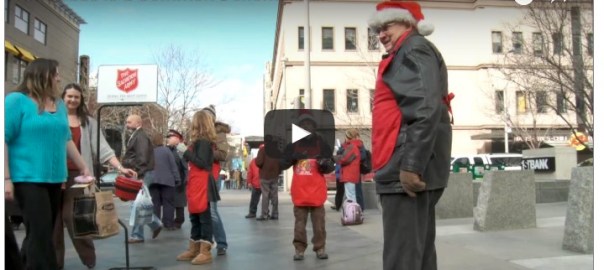
Everyone knows the red bucket.  When you see money going into the red bucket and the sound of bells, your mind immediately evokes the memory of A Salvation Army volunteer.  Good natural sound selection is a great way to put the viewer’s mind into the subject matter.

  • Good natural sound selection is a great way to put the viewer mind into the subject matter

The next 3 shots are of musicians playing Christmas carols with natural sound.

I’ve established the story, what its about, and set the mood in 4 seconds.  Pacing is often a tough thing to set up early. Usually, stories start fast and then slow down or do just the opposite.  When I’m under deadline, I like to discover my pace as soon as possible.  I’m also going to go back to these gentlemen playing at the end.  These are my bookends to this story.  If you can find some element of a story and place it at the beginning of the story and have enough video and the ability to return to that element, it’s a great and easy way to bookend your story.

At [:06] into the story, I establish my central character with a visual introduction as well as the natural sound of him saying, “Here we go, help Salvation Army right here.”

Another thing I am always thinking about is my shot selection.  I like to keep up the variety.  The next shot in the story at [:10] is a tight shot.

In deadline mode, I can’t always pick the optimum shot.  I continuously think wide, medium, tight.

  • In deadline mode, I’m continually thinking wide, medium, tight

If your thinking shot variety along the way, it will eliminate problems as you edit.

Another element of editing I continuously have on my mind is match action.

Notice in the next three edits-I starts wide here,

then a medium shot taking the edit right as he turns his head (trying to hide the edit).

Follow by a wide shot starting the edit right on his movement (again trying to hide the edit).

Notice how often I use his head movements to help me with selection edit points.  It’s a great trick to keep in your back pocket to help keeps edits clean and hide the edit.

I’m very proud of this deadline edit.  It’s clean and straightforward.  However, I do want to point out two things that bugged me.  I simply ran out of time to change/fix before it aired.

The first one is here.

Notice that gentlemen looking at the camera?  So did I, but not until it was too late.  When someone acknowledges the awareness of a camera, it’s called breaking the 4th wall.  You don’t want the viewer aware this is a story being recorded.  You just want them to watch with no conscious elements to make them realize anything other than that.  Well, this gentleman looking at the camera and then moving out of the way is a distraction to the story.  I would suggest you avoid this as much as possible.  Silly me!

The other one is at [1:14]

My photographer was handheld at this point.  The camera shakes.  It is subtle but still noticeable.  You want to do everything you can to keep the viewer from realizing they are watching something being captured on a camera.  Camera shake is one of them.

Spatial Relations in Video Editing

Update 05/08/24

Spatial relation is an often-overlooked principle of video editing. Spatial relation is something your brain has been processing since you were a baby.

Happy baby boy with straw hat

Around the 8th month of life, you begin moving around your world. You explore the size and shape of objects and observe people and objects as they move through space.  

Baby playing with block

How does this connect to editing video?  Well, your brain wants to understand the world, too.  Since your brain was in its infancy, it’s been trying to figure out where things go. As an editor, you must help the audience understand where they are in the world they watch.  You have to help them connect points in space or time. So how do you do that?

Digital eye and cross

The story I’m going to use for this post is Give Him The Best Life

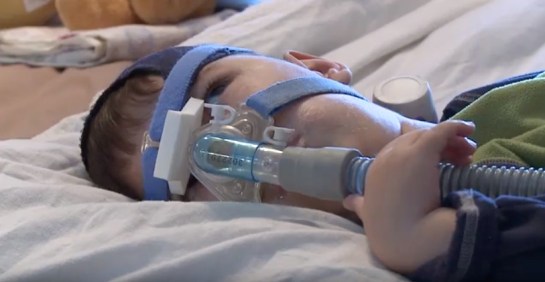
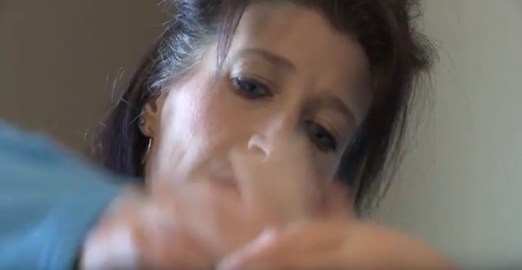
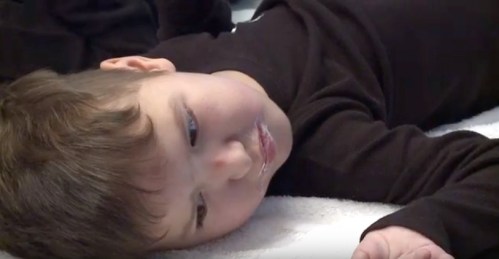
I start the story on a tight shot.

Screen Shot 2020-04-08 at 10.53.11 AM

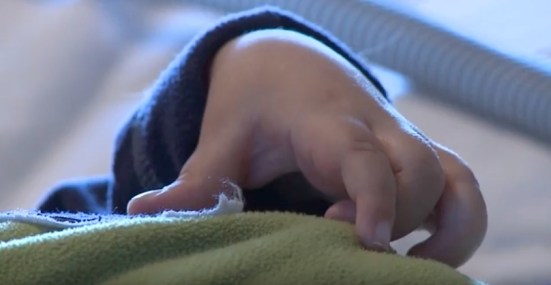
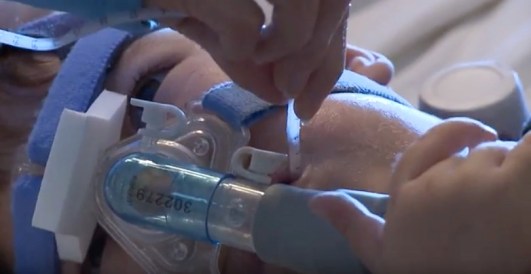
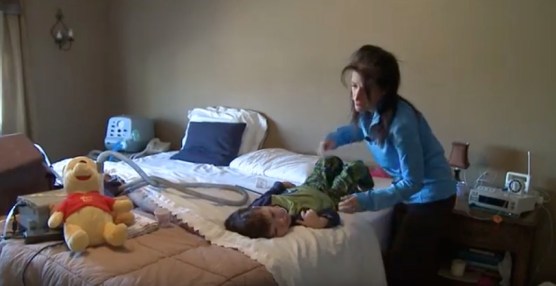
It’s an important shot because it tells you this person is ill.  I’m getting you into the story.  You have no idea where he is. The 2nd shot is a medium shot

Screen Shot 2020-04-08 at 10.54.05 AM

You see his hand and chest rising (I match the narration). The 3rd shot is a medium shot back to his face.

Screen Shot 2020-04-08 at 10.54.55 AM

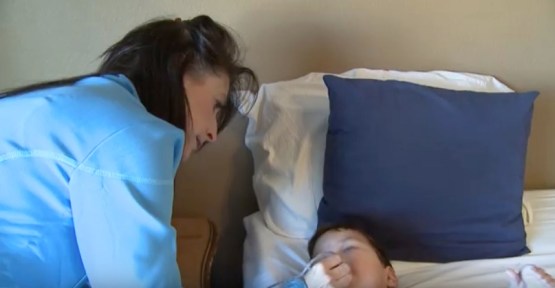
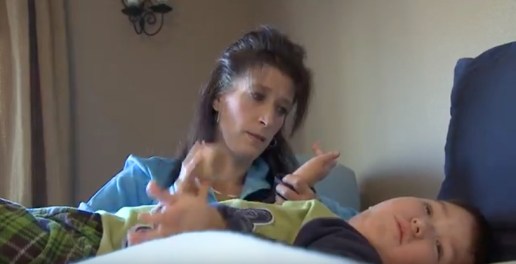
See how he looks up?  The next shot is his mother above him.

Screen Shot 2020-04-08 at 10.55.38 AM

With the 3rd shot, the medium of him on the bed at [:05],  and this shot edited together, I’m establishing a spatial relationship between Reece and his mother and how they exist in his bedroom.

We know we are in the bedroom.  I need to move Reece to a different position on the bed. First, I’m going to use a tight shotso the audience doesn’t feel jarred by the fact he’s in a different spot on the bedand the apparatus on his face is no longer there.

Screen Shot 2020-04-08 at 10.57.03 AM

There is a series of shots of him on the bed with his mom helping him get ready for the day.  All these shots are tight or medium.

I firmly believe in tight shots’ power and love using them.  My 2nd most loved shot is the wide shot.  As wide as you possibly can be in the environment you are in.  Why?  Your audience needs to understand the world you are putting them in, and the best way to do that is with wide shots.

In this story, I established that Reece is in bed.  Now, by going wide,

Screen Shot 2020-04-08 at 11.00.49 AM

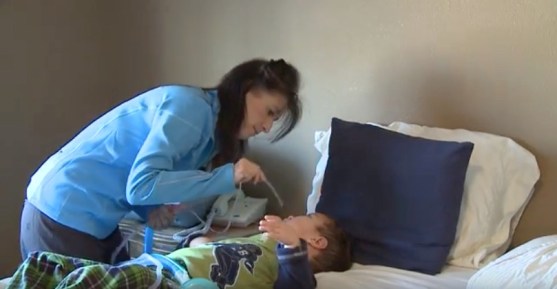
the audience understands where Reece is, where mom is, and what else is in the room about those two. That is editing, keeping in mind spatial relations.

At [:48], I start wide this time.

Screen Shot 2020-04-08 at 11.02.32 AM

You see Reece still on the bed and his mother holding a tube. Then, a match action cut off her using the tube to suction material out of his lungs.

Screen Shot 2020-04-08 at 11.03.02 AM

The general guideline in editing is to start wide, then move to a medium shot, then to a tight shot.  That doesn’t always work (hence why it’s a guideline and not a rule). Sometimes, I start a sequence broad.  Sometimes, I start a sequence tight.  It depends on the shots I have and how they work together and maintain spatial relationships with each other.  I don’t want the viewer distracted.  I don’t want to be curious about how everything works in my world. I’m editing.  I want to help them as much as possible so they can watch the story and not watch the editing.

At [:52], I need to go to the next part of the story. I use a tight shot.

Screen Shot 2020-04-08 at 11.04.08 AM

of mom beating on Reece’s chest.

Screen Shot 2020-04-08 at 11.04.41 AM

Then, to a tight shot of Mom. Then, to a medium of the two of them.

Screen Shot 2020-04-08 at 11.05.12 AM

I could put these three shots together in any order, and they would have worked.  The previous sequence dictated how I put these shots together.  The important thing is that I went to a medium shot, where you could see the two of them and how they relate to where they are in their world.

At 1:09, I start tight again.

Screen Shot 2020-04-08 at 11.05.55 AM

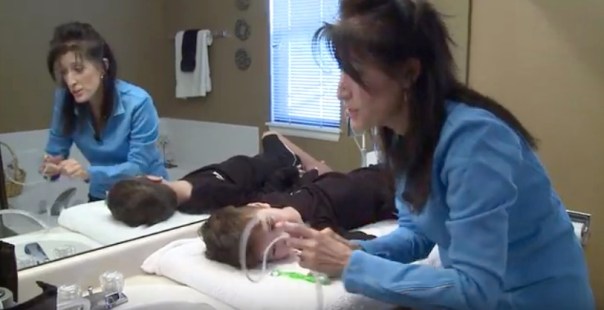
Then go wide,

Screen Shot 2020-04-08 at 11.06.23 AM

so the viewer understands we are now in the bathroom.  I started tight because I didn’t want a jump cut from the interview to mom in the bathroom, just trying to avoid anything jarring to the viewer.

At 1:48, Reece is in a new spot.

Screen Shot 2020-04-08 at 11.07.11 AM

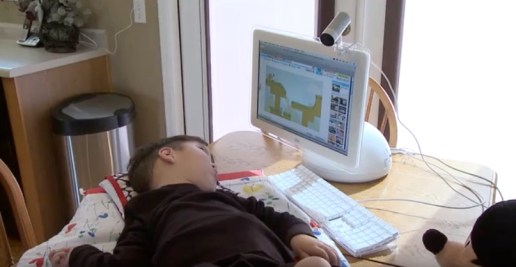
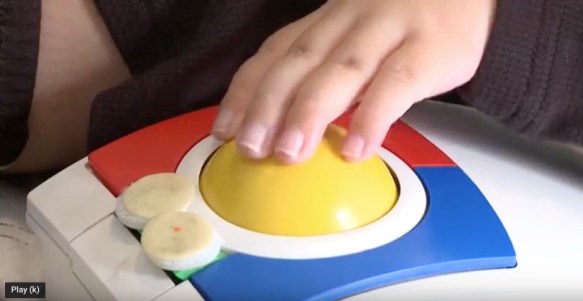
On the kitchen table.  Then, a tight shot of his hand on the mouse ball.

Screen Shot 2020-04-08 at 11.07.44 AM

If I only have time to show two shots in a sequence, I’m generally going to use a wide shot and a tight shot. Wide is for spatial relation, and tight is because I want the viewer to look at only one piece of information (which a tight shot should contain).

I continue moving Reece around the house, using tight shots and then wide shots so the viewer understands where he is in the world I’m editing.

My photographer gave me lots of tight shots to choose from.  I wished for more wide shots, even some super-wide shots.

Understanding spatial relations is significant in editing.  Help your audience know where they are and what goes where in the world that’s in front of them.  The tight shot is a vital storytelling tool.  The vast and super-wide shots are #2 on my list.

Thanks for reading.

Shawn Montano

Ripple Tool (Roll Tool in Avid) in Video Editing

I’ve been editing on non-linear systems for nearly 20 years.  I edited on Avid, Final Cut Pro and Adobe Premiere.  Each time I learned the process of editing on these platforms, I somehow skipped trimming.  It wasn’t until I re-learned each NLE that I started to grasp trimming.  Once you get clips marked and into the timeline, you should never go back to the original clip.  All adjustments should be made in the timeline.  Other than undo, mark in and mark out, your next most used Tool in your NLE arsenal should be ALL trim tools.

What is trimming?  I took this definition from Final Cut Pro HD Hands-On Training by Larry Jordan.  “Trimming is the process of removing, or adding, frames to the beginning and end of your shots so that the edits flow naturally, maintaining your story, without calling attention to your editing.”

The first Tool in your NLE trim arsenal is the Ripple Tool (Rool Tool in Avid).  In both Avid and Final Cut, the Tool removes or adds frames to one side of an edit.  The Tool allows you to adjust just one side of an edit.  How about a video explanation for this?

Watch the clip below, 5 Minute Lesson The Ripple Tool

This is a lesson in Final Cut.  Ordinarily, I don’t like to focus on one NLE in this blog, but the Tool is an essential tool in editing. Plus, the fact that in Avid and Final Cut the Tool operates, in the same manner, I thought you could grasp no matter what your NLE is.


Movement in Every Edit (well almost every edit) in Video Editing

I’m a fan of movement. You should be a fan of movement. I like to have as much movement in a story as possible. Often, I base my edit decisions on movement. If I’m choosing between two shots, I’ll choose motion over a better-composed shot with no action happening in the shot.

We are a visual medium.

Give your viewer as much to look at as they possibly can handle. Our story for this post is It’s Bad.

This is a spot news story edited in about an hour.  There are practices you can learn here and apply to any edit. The idea of motion isn’t a new one. Next time you are editing a story, think about the exact frame you are choosing as your IN point and the action in that edit.

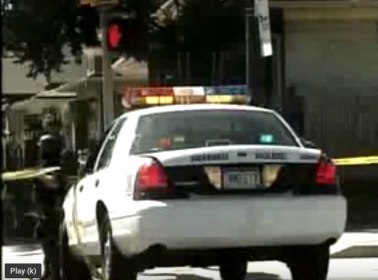
There are a lot of static shots.  The standard video for stories like these is;

Crime tape

Screen Shot 2020-03-31 at 8.35.14 AM

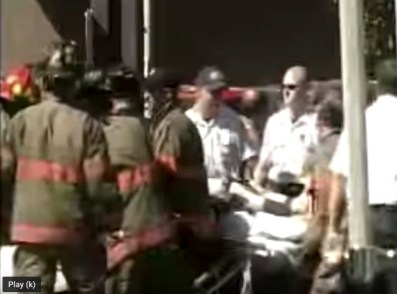
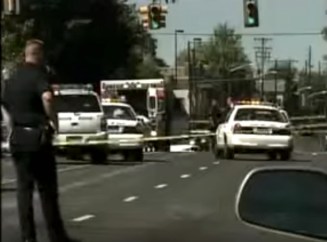
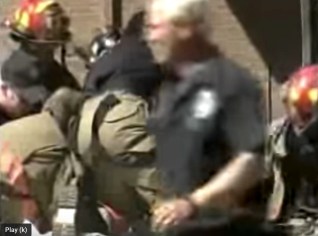
Paramedics working

Screen Shot 2020-03-31 at 8.39.30 AM

Cops observing

03

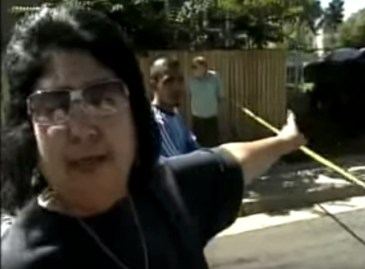
and spectators watching

Screen Shot 2020-03-31 at 8.57.56 AM

We know what the video is going to be like in any type of story like this. So often in stories like these, I see edits chosen with nothing going on.

Only 6 shots with no movement, count them.

Pay particular attention to the next few shots and what I choose as the IN point.

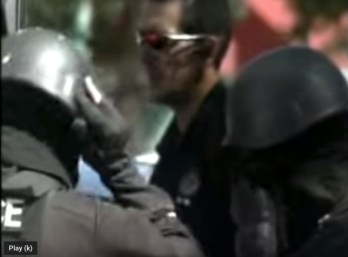
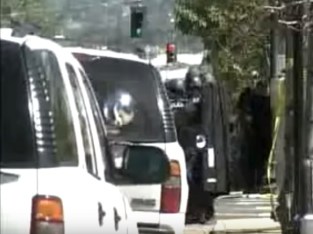
[:07] IN point when S.W.A.T member puts on his helmet

Screen Shot 2020-03-31 at 9.02.35 AM

[:08] – IN point when another S.W.A.T member move his head

Screen Shot 2020-03-31 at 9.03.14 AM

[:09] – IN point when a police officer takes a step

Screen Shot 2020-03-31 at 9.04.30 AM

[:11] – I wait until just before you see many S.W.A.T members moving forward

Screen Shot 2020-03-31 at 9.05.01 AM

I’m trying to keep the story moving.  This may sound obvious but watch a newscast and look at how often there is nothing is going on within a shot.  I strive to have something going on in as many shots a possible.  Even little things like;

[:15] – Crime tape blowing in the wind

Screen Shot 2020-03-31 at 9.08.10 AM

[:20] – Cops walking from frame right to frame left

Screen Shot 2020-03-31 at 9.08.51 AM

[:38] – Officer’s arm moving in the left-hand corner of the screen

Screen Shot 2020-03-31 at 9.09.44 AM

I’m waiting for something to happen before I set the IN point.

Watch It’s Bad again.  Now that you know what to look for, notice how much all the little things like a bit of movement adds to the story.  Next time you edit a story like this think about it

  • Think about what’s in the shot

  • Is there something going on you can show instead of just a static shot

  • Wait for something to happen and then set your IN point

I’m a Dirty Video Editor

I got your attention, didn’t I?  So what’s dirty editing?  I don’t think there is an actual term coined for what I’m about to talk about.  I’ve heard it referred to as checker-boarding, but I’m still not entirely sure that grasps the concept enough.  So I’m going to call it dirty editing.

Dirty editing is using your timeline to its maximum potential.  Dirty editing is an editor’s timeline that’s messy.  Editors are often messy.  We often put a clip here and there.  We put stuff down in the timeline, not really knowing if we’ll use it or when we’ll use it. We just want it there in case we do use it.

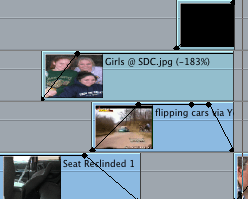
The finished product you output should be clean and polished.  That does not mean your timeline has to be clean and polished.  It’s your timeline, make a mess.  Guess what? You don’t have to clean it up!  This is the timeline for this story.


For this blog entry, we are going to us the story Sarah didn’t walk away at all.

I ended up adding a lot of effects on the story.  I have several layers of video. Watch my timeline as we go along.  Just because I only have one layer of video, that doesn’t mean it’s automatically going on video layer one.

Our story begins on video layer two.  I had to put a reporter as-live in front of the package.  This was actually one of the last things I did.  I wanted to dissolve from the reporter to the package.  I often like to play with the duration of my dissolves.  If I keep both of these first two clips on video layer one and add a dissolve, I have to continually adjust the dissolve until I get the desired length I want.

I think it’s just easier to place one of your clips on video layer two, then use keyframes [:13] to drop the opacity at the place you want.  I just move the keyframe until I get the dissolve I like.

I do use a dissolve next at [:20].  I wasn’t too worried here.  I knew I wanted a two-second dissolve centered on the transition.

Pretty routine stuff so far.  Now comes some serious dirty editing.

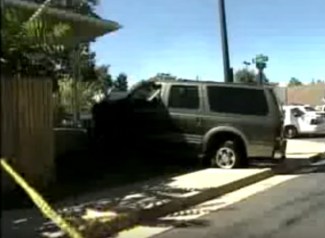
At [:24] I slowly dissolve up (using keyframes) the picture of Sarah.  Notice it’s on video layer three on the screengrab of my timeline above.  I know I want to have a car crashing (file blurred and turned black and white) underneath her picture.  I don’t waste time moving things up and down the timeline (meaning changing video layers). It doesn’t matter that there is no video on video layer one for a moment.  What matters is my final product looks the way I want it.

Here is the picture of Sarah (cropped) and the car crash, and you can also see a seat underneath both of those clips.

  • A tip.  When you have multiple layers of video, and you want them to ALL fade to black at the exact same time.  Use a slug-like you see below (In Final Cut & black video in Premiere).

You can get a slug in the same drop-down menu you would engage the text tool in Final Cut Pro 7.  You can also get slugs in Avid & black video in Premiere.

Load a slug into your viewer and drag it to the timeline and place it on the video layer higher than you already have at that moment in your timeline. Change the opacity of the slug, just like any other clip.

I do go back to video layer one at [:31]


After the interview with the father, my timeline gets dirty again [:38].


I have a picture of Rebecca fading (increasing the opacity) upon video layer three.  Then, I have a photo of her sister fading up on video two.  Then, I have a picture of the seat belt on the video layer one.  It all looks useful to the viewer.  I’m merely maximizing my timeline.  All non-linear editors give you multiple layers of video.  Use them.  Any way you like it.  That’s the beauty of non-linear editors, they conform to you.

After these few shots, I have another shot of a seat belt and a shot of Sarah at 50% opacity with a garbage matte.  Then look.  I’m up on video layer three.

And there is NOTHING on video layers one or two.  I’m already up there why come down to video layer one?  Just so, my timeline looks clean?  Dirty editing at it’s best!

I don’t move back to lower video levels primarily for efficiency reasons.

  1. Already there, just keep editing
  2. It’s more efficient to just stay where you are and continue editing
  3. A skilled editor becomes a faster editor.

I’m placing another screengrab of my timeline here so you can refer back to it as you continue watching the story on my YouTube site.  It’s Dirty.  It’s just the way I like it!

Thanks for reading!

Just Enough Effects in Video Editing

Extreme Kellie was a series of fun packages I put together at KDVR/KWGN. I’m going to take you threw the edits. The first thing I did was find music.  I chose two songs.  The first one is O.N.E by Yeasayer.

The visuals are excellent.  My effects are minimal.  Effects are only added as ‘bumps’ in the story.  I call a ‘bump’ a place in the story where there’s just music or a need for a transition of some sort.

In the first shot, I have a blur effect.

This was accomplished by simply putting the same video that was on video layer one on video layer two.  I moved the video on the video layer two 3 frames and dropped the opacity.  This is an easy way to create this effect.  I drop the opacity up and down, so the effect isn’t constant.

These kids have some great moves.  I want shots to breathe.  I also want edits to the music.  I added some edits and changed the scale of shots on the beats.

Each of these edits I change the scale starting at 140% and then returning the shot to 100%.

Watch the story on my YouTube site to see it in action

At [:05], I do one of my favorite simple effects.  I take a portion of a shot, usually about 6 frames.  I start the shot at 100% scale, and then 6 frames later make the shot 400%.

I reverse the effect for the next shot, starting at 400% moving forward 6 frames and returning the shot to 100%.

A simple sequence follows one of the kids jumping fast at [:06].

At [:11], I bring the music up full, and there are four jumpers.  Three of the jumpers do a backflip that times out to the beat of the music.  This is being lucky.

Sometimes being lucky makes one look like a good editor.  I’m honest, got just plain fortunate with this.

I do the scaling again at [:28] like I did at the beginning of the piece.

I do this for the same reason as before.  I want the shot to breathe, and I want to edit to the music.  I accomplish both with this simple effect.

From [:33] to [:47], take a look at how meticulous my match action is.

I pride myself on this.  I think to match action hide edits, and it’s effortless to do with extensive practice.

No, match action isn’t an effect, but it’s a vital editing tool.

At [1:14], I change the music.  Why? The first part of the story was about the kids.  This part of the story is about Kellie.  A change in music singles a change to the viewer. I choose Cobra-style by Teddy Bears.

At [1:19], another use of scaling up on the beats.

This is simple, easy, effective, and an excellent way to add just a little something to your story.

At [1:44] to [2:08], there are no visual edits.  Just audio edits.  I wanted to show Kellie jump-roping for a whole series, so the viewer could see Kellie performing.

This is a case where no edits work better.  However, as you here, there is a lot of storytelling with audio underneath this shot.  After the music full for a few seconds, I have one kid talking about jump-roping.

One last scaling up on the beats at [2:58].

Thank you for reading.